


How to Watch Live TV Without Cable: Complete Guide to IPTV Streaming
Are expensive cable bills destroying your budget? Watch live TV without cable using IPTV technology—the modern solution millions of people are adopting to save money while accessing more entertainment. This comprehensive guide shows you exactly how to cut the cord and enjoy unlimited streaming freedom.
Why Cut the Cable? The Benefits of IPTV
Financial Benefits
Save Massive Money: - Cable TV: £50-200 monthly (£600-2,400 annually) - IPTV Service: £15-80 total for months - Annual Savings: £520-2,320
That's enough money for a vacation, new electronics, or other priorities—not wasted on outdated cable technology.
Entertainment Benefits
Access More Content: - Cable: 200-500 channels, limited to your region - IPTV: 10,000+ channels from 50+ countries worldwide - International shows, sports from anywhere, unlimited entertainment
Flexibility Benefits
Control Your Viewing: - No long-term contracts (cancel anytime) - Watch on any device anywhere - Pause, rewind, fast-forward freely - Record your favorite shows - Personalized channel lists
Technology Benefits
Upgrade Your Experience: - 4K Ultra HD quality (cable typically 720p) - No equipment boxes needed - Instant setup without technician visits - Automatic updates and improvements
How IPTV Works: The Technology Behind Cord-Cutting
What is IPTV?
IPTV (Internet Protocol Television) delivers television through internet protocols rather than broadcast satellites or cable lines.
How it works technically: 1. Content stored on secure servers globally 2. You request content via app 3. Video delivered through internet connection 4. Displayed on your device instantly 5. Quality automatically adjusts to connection speed
Simple explanation: Instead of a cable company broadcasting TV signals you receive, IPTV streams the exact content you want on-demand through the internet.
Why IPTV is Superior to Cable
| Feature | Cable TV | IPTV |
| --------- | ---------- | ------ |
| Channels | 200-500 | 10,000+ |
| On-Demand | Limited | 30,000+ titles |
| International | Very Limited | 50+ countries |
| Cost | £50-200/month | £15-80 total |
| Contract | 2-3 years required | Cancel anytime |
| Setup | 1-2 weeks | 5 minutes |
| Quality | HD (720p) | HD/4K available |
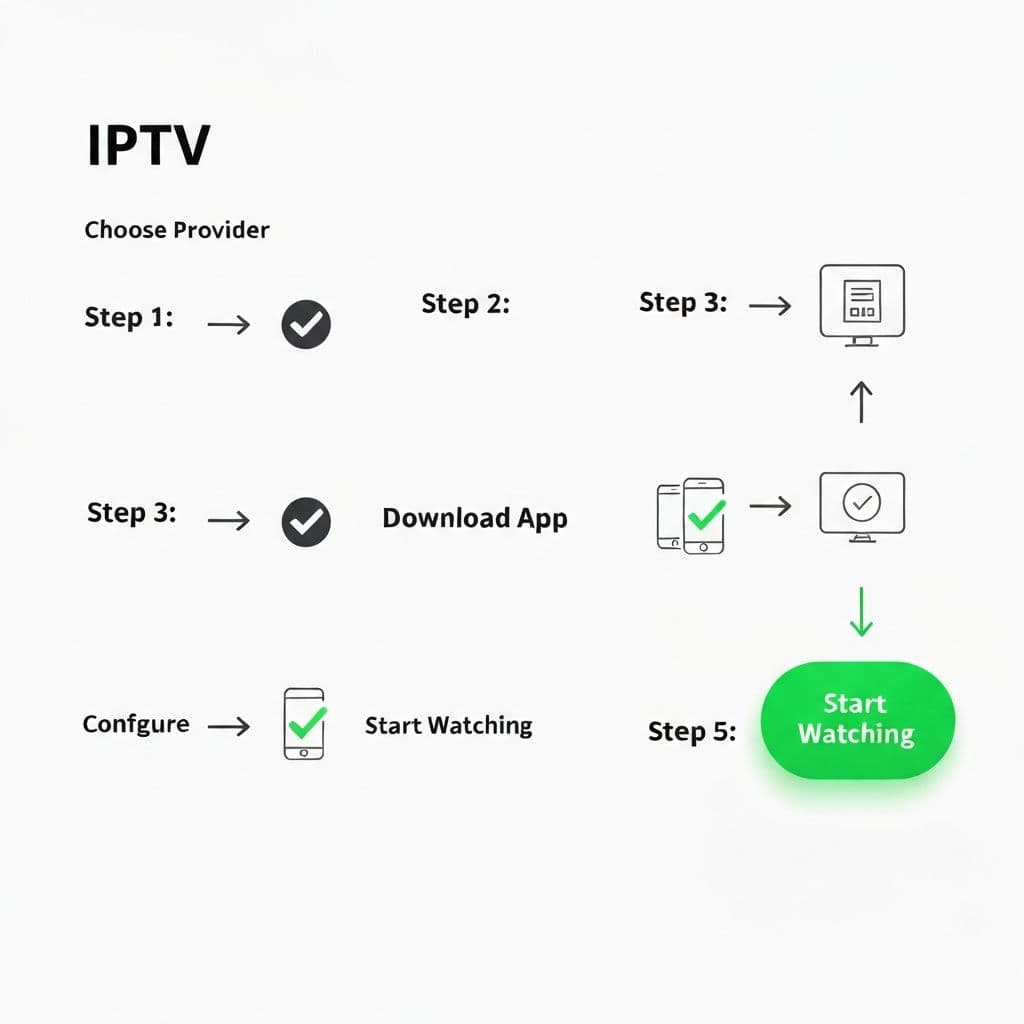
Step-by-Step Guide: How to Watch Live TV Without Cable
Step 1: Choose Your IPTV Provider
Select a reputable service with: - 10,000+ channels available - Strong uptime guarantee (99%+) - 24/7 customer support - Free trial period - Transparent pricing
INFINTETV checks all these boxes with premium service and affordable pricing.
Step 2: Test with Free Trial
Before committing: 1. Visit provider's website 2. Register for free trial 3. Download compatible app 4. Add subscription credentials 5. Test channels you watch most 6. Verify quality and performance 7. Check support responsiveness
Step 3: Select Your Package
Choose based on budget and commitment:
Monthly Plan (£15) - Test the waters - Perfect for: First-time IPTV users - Commitment: None, cancel anytime - Best for: Quick evaluation
Annual Plan (£80) - Best savings - Perfect for: Committed cord-cutters - Commitment: 12 months - Best for: Budget-conscious families
Lifetime Plan (£350) - Ultimate value - Perfect for: Long-term streamers - Commitment: One-time payment - Best for: Families who stream heavily
Step 4: Download Your IPTV App
Popular compatible apps include: - IPTV Smarters Pro - All devices (most popular) - TiviMate Premium - Smart TV focused - Perfect Player - Lightweight and fast - GSE Smart IPTV - Advanced features - VLC Media Player - Built-in IPTV support
Step 5: Configure Your App
Setting up takes 5 minutes:
1. Open IPTV app 2. Enter subscription login credentials 3. App loads all available channels 4. Customize favorites and layout 5. Test picture and sound quality 6. Configure parental controls if needed 7. Start watching immediately
Step 6: Install on All Devices
Expand your viewing options:
TV Devices: - Smart TVs (Samsung, LG, Sony, TCL) - Streaming boxes (Fire Stick, Roku, Android TV) - Apple TV devices
Mobile Devices: - Smartphones (iOS and Android) - Tablets (iPad, Android tablets)
Computer: - Mac, Windows, Linux compatible - Web browser version available
Step 7: Start Watching Live TV
Begin your cable-free entertainment:
1. Open app on any device 2. Browse available channels or search 3. Click channel to start streaming 4. Enjoy! No boxes, no cables, no complicated setup
Internet Requirements for IPTV
Minimum Internet Speed
Essential speeds for quality IPTV: - HD Streaming: 5 Mbps minimum - Full HD (1080p): 8-10 Mbps recommended - 4K Streaming: 20-25 Mbps required - Multiple Simultaneous Streams: Add 5 Mbps per additional stream
Check your speed: speedtest.net - if your speed meets requirements, IPTV will work perfectly.
Connection Type
Best to Worst for IPTV: 1. Fiber Internet - Best option, ideal for 4K 2. Wired Ethernet - Excellent, most stable 3. 5GHz Wi-Fi - Good option, reliable 4. Cable Internet - Acceptable, usually sufficient 5. DSL/2.4GHz Wi-Fi - Adequate for HD, may struggle 4K
Pro Tip: Wire your main TV device directly to router with ethernet cable for most stable performance.
Cord-Cutting Tips for Success
Optimize Your Setup
Router Placement: - Position centrally for best signal - Elevate above ground level - Away from microwaves and interference - Consider Wi-Fi 6 router for speed
Internet Connection: - Monitor speeds during peak hours - Consider upgrading if consistently slow - Restart router weekly - Update router firmware regularly
Customize Your Experience
Organize Channels: - Create favorites list for frequent viewing - Group channels by category - Hide irrelevant channels - Arrange in preferred order
Configure Settings: - Enable hardware acceleration - Set optimal video quality - Configure autoplay preferences - Enable subtitle options
Manage Family Viewing: - Set parental controls appropriately - Create multiple user profiles - Configure restricted content access - Monitor viewing history
Maximize Entertainment Value
Explore Content: - Browse international channels - Discover niche programming - Explore on-demand library - Join community forums
Share with Family: - Most IPTV allows 2-4 simultaneous streams - Share subscription with family - Create individual profiles - Personalize recommendations per user
Frequently Asked Questions About Cord-Cutting with IPTV
Q: Is watching live TV without cable legal? A: Yes, absolutely. Legitimate IPTV services operate under proper licensing. Using INFINTETV is completely legal.
Q: Will I miss cable channels I love? A: IPTV includes virtually all major cable channels plus 10,000+ additional channels. You'll likely discover new favorites.
Q: What happens if my internet goes down? A: IPTV requires internet connection. Some apps allow downloads for offline viewing, but live streaming requires active connection.
Q: Can I record shows with IPTV? A: Yes! Most IPTV apps support recording. Some even include catch-up TV for missed programs.
Q: How quickly can I start? A: Less than 5 minutes! Download app, add subscription, start watching.
Start Your Cord-Free Journey Today
Stop overpaying for cable TV. Watch live TV without cable using INFINTETV's premium IPTV service. Join millions of satisfied cord-cutters enjoying more channels, better quality, lower costs, and complete freedom.
Your cable-free future starts now.